Website monitoring
Website Uptime Monitoring
Know when your website goes down.
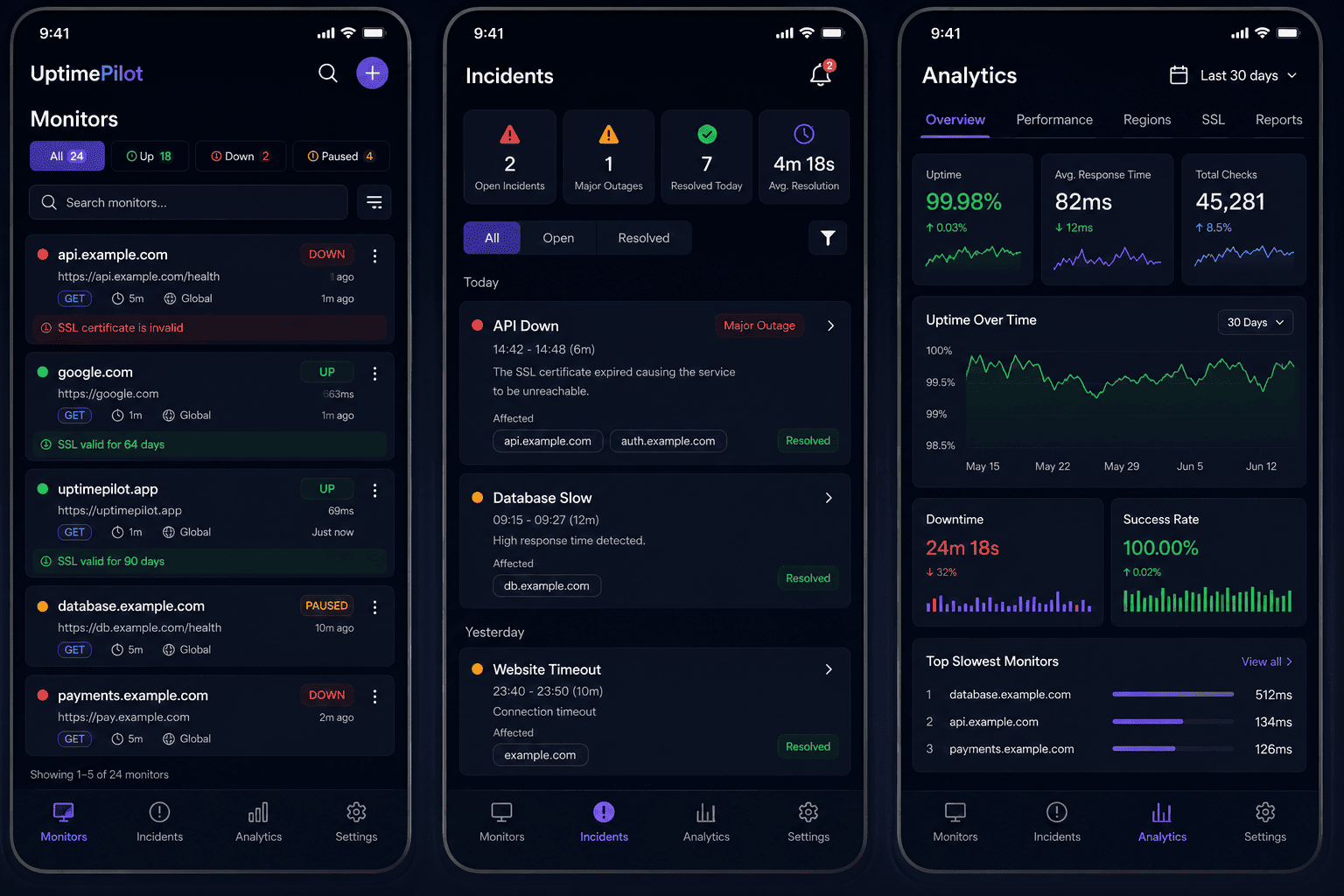
UptimePilot continuously checks your website and alerts you when it becomes unavailable, times out, returns an unexpected status, or starts experiencing performance issues.
HTTP CHECK TRACE
- ✓DNSResolved18ms
- ✓ConnectionEstablished32ms
- ✓TLS / SSLValid certificate41ms
- ✓HTTP request200 OK146ms
GET /health
Capabilities
Everything needed to watch a website
Configure the request, define a healthy response, and keep a clear history of every check.
HTTP and HTTPS
Check public websites over HTTP or HTTPS.
Availability
See whether the site can be reached when a check runs.
Response time
Record how long each website response takes.
Status codes
Inspect returned codes and configure the codes you expect.
Methods and headers
Choose a request method and add custom headers where needed.
SSL certificates
Track certificate validity and expiration alongside uptime.
Downtime incidents
Turn failed checks into incidents you can investigate.
Monitoring history
Review earlier results and response-time changes.
Process
How website monitoring works
Each check follows a clear path from request to alert.
- 1
UptimePilot sends a request to the configured website.
- 2
It checks the response against your expected conditions.
- 3
The response time and HTTP status are recorded.
- 4
A failed check can create an incident according to the configured rules.
- 5
UptimePilot sends a push or email alert through your configured channels.
Use cases
Why monitor your website?
Website monitoring gives teams evidence when availability or performance changes.
Unexpected downtime
Detect when a production website stops responding.
Slow responses
Catch response-time changes before they become the new normal.
Server or network problems
Separate connection, TLS, and HTTP failures in a diagnostic trace.
Deployment failures
See when a release is followed by failed checks or unexpected statuses.
Production websites
Keep active checks on the public pages your users depend on.
Availability history
Track monitoring results and incidents over time.
Inside UptimePilot
A precise view of every failed check
UptimePilot records the request result and gives failures a clear place in incident history, with push and email notifications when configured.
Configurable intervals
Choose how often a website should be checked.
Multi-region checks
Run monitoring from the regions available for your monitor.
Push and email alerts
Receive monitor state changes through supported notification channels.
FAQ
Questions, answered.
What is website uptime monitoring?+
Website uptime monitoring repeatedly requests a website and records whether it responds as expected, along with status and response-time information.
How does UptimePilot detect downtime?+
UptimePilot runs scheduled checks and evaluates the returned response against the monitor's configured status and timeout rules. A failed check can create an incident and notification.
Can I monitor HTTPS websites?+
Yes. UptimePilot supports HTTP and HTTPS website endpoints and can also track SSL certificate validity and expiration.
Can I monitor response time?+
Yes. Response time is recorded for HTTP and HTTPS checks so you can review performance over time.
Can I monitor specific HTTP status codes?+
Yes. You can configure the HTTP status codes that should count as a successful response for a monitor.
Start monitoring your website with UptimePilot.
Set up your first monitor and keep its current status, history, incidents, and alerts close at hand.
Start Monitoring